



Framework Architecture & Core Concepts
Frappe Framework Architecture — Core Concepts
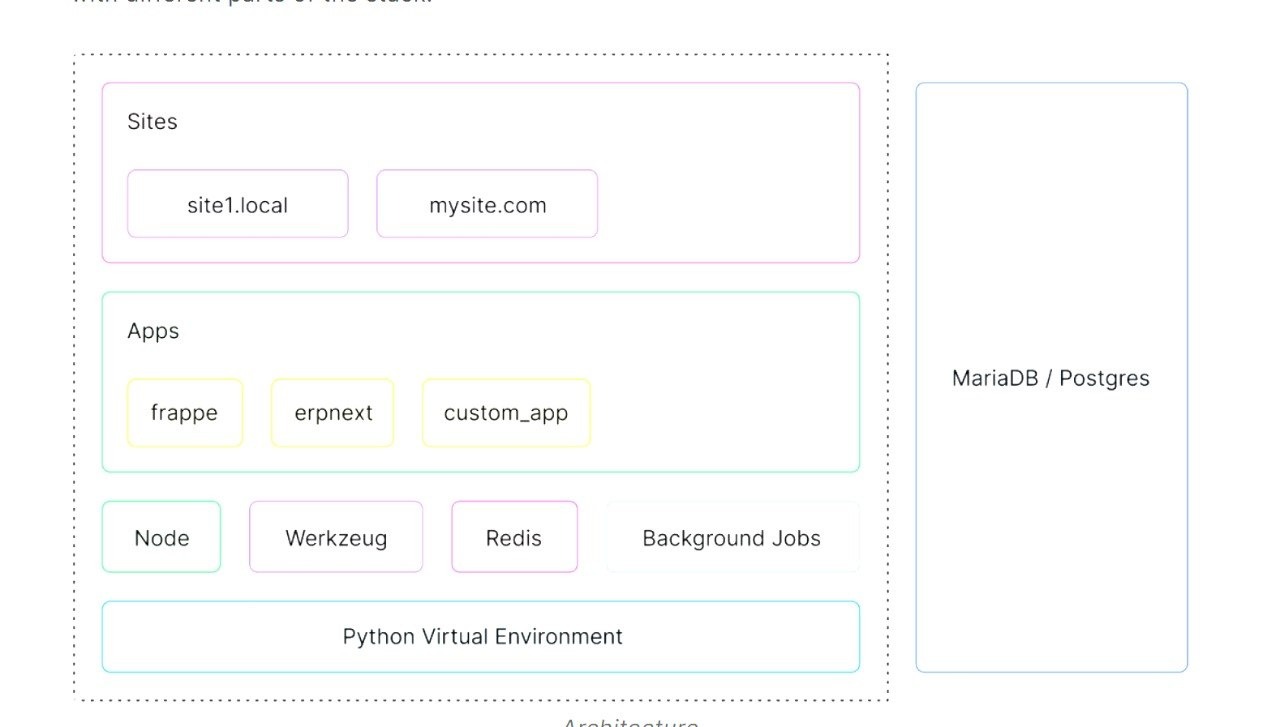
Site
A Site is a single Frappe tenant (e.g., yoursite.erpnext.com). Each site has its own MariaDB database, file system, and config. Multiple sites run on one server with full data isolation.
Apps
An App is a Python package on a bench — e.g., frappe, erpnext, custom_app. Apps provide DocTypes, APIs, and hooks.
Modules
A Module groups related DocTypes within an app — e.g., Accounts, HR, Manufacturing, CRM.
DocType
A DocType is the fundamental building block — defines a data entity's fields, permissions, and behaviour. Every form in Frappe is a DocType. Stored as JSON in the app.
DocField
A DocField defines one field within a DocType: Data, Int, Date, Link, Table, Select, Attach, etc.
Virtual DocType
A Virtual DocType (isvirtual=1) has no MariaDB table — data fetched from external source by overriding getlist() and get_doc().
Virtual DocField
A Virtual DocField has no DB column — value computed at runtime, ideal for derived/calculated fields.
Metadata-Driven Framework — DocType = Class, Document = Object
The Analogy
What Metadata-Driven Means
- Schema stored as data in MariaDB — tabDocType and tabDocField hold the entire schema
- Forms auto-generated from DocType fields — no HTML to write
- Permissions, Workflows, Print Formats configured via UI — stored as DocType records
- Add a field → form updates immediately, MariaDB column added automatically
- For : IT team adds custom fields without code or deployment
DocType Definition — JSON, Python Controller & Lifecycle
JSON Definition
Every DocType is a JSON file in the app codebase — version-controlled in git.
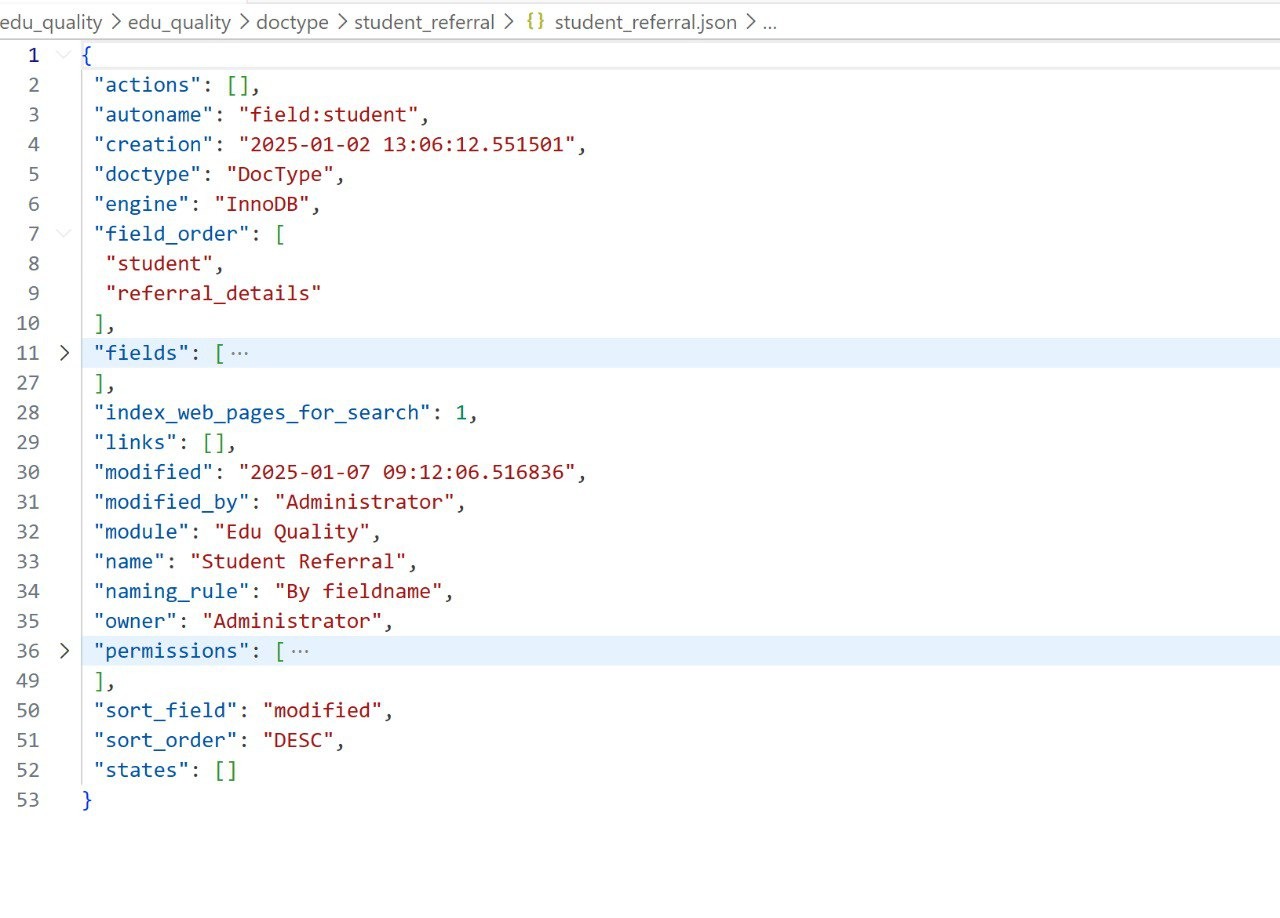
- autoname — naming rule
- engine: "InnoDB" — MariaDB storage engine
- fields — array of DocField definitions (fieldname, fieldtype, label, mandatory)
- permissions — role-based access control baked in
- states — workflow states (Draft, Submitted, Cancelled)
Python Controller
The Python controller inherits from Document and overrides lifecycle methods to add business logic.
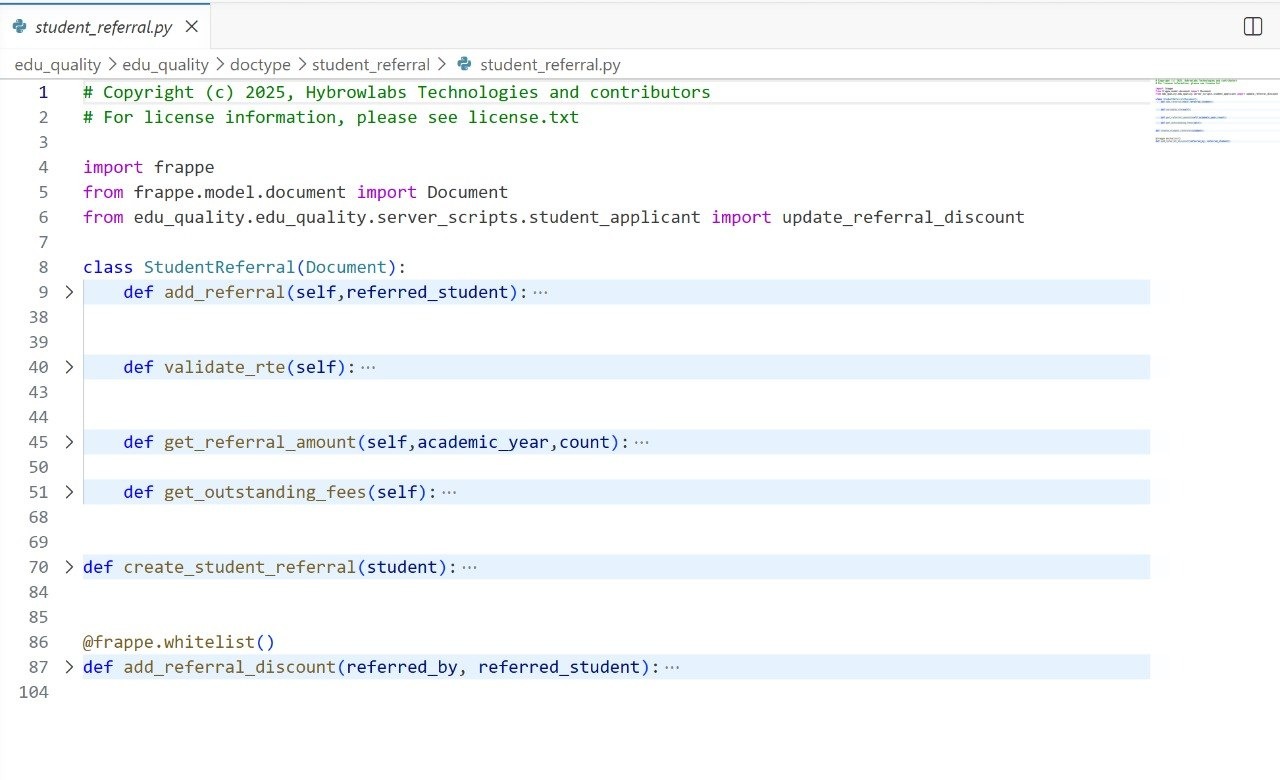
Lifecycle Events
Low-Code + High-Code — Frappe's Sweet Spot
Frappe uniquely combines a low-code platform for business users with a full-code framework for developers — both coexist without conflict, safe across upgrades.

Low-Code
- DocType builder via UI — drag-drop fields, auto-generated forms
- Visual Workflow builder, Automation Rules, Server Scripts in browser
- Custom Fields on any DocType — no code, no deployment
- Print Format designer, Dashboard and Charts builder
High-Code
- Full Python controller classes with lifecycle hooks
- @frappe.whitelist() — any Python function as REST API
- Client Scripts — JS per DocType for form events
- Full MariaDB access via frappe.db.* | Background jobs via frappe.enqueue()
Customisation Without Touching Core — hooks.py
hooks.py integrates your custom app with Frappe without modifying a single line of ERPNext source.
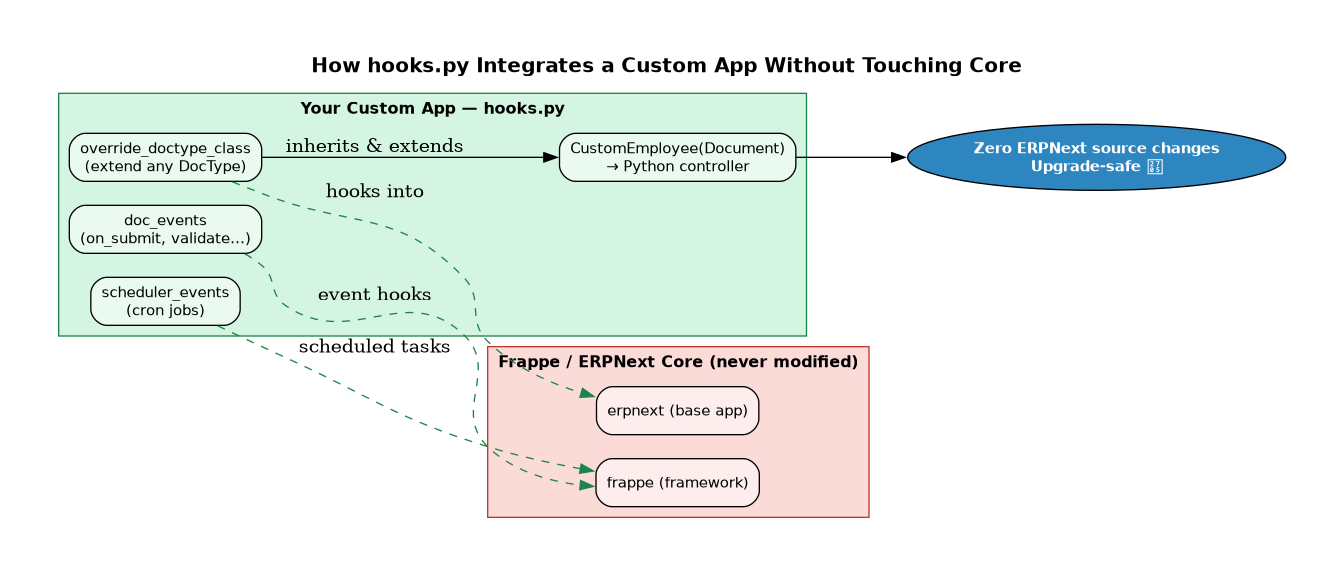
overridedoctypeclass
override_doctype_class = {

"Custom DocType": "custom_app.overrides.custom_doctype.CustomStudentGroup",

"Employee": "custom_app.overrides.employee.CustomEmployee",

}
doc_events
doc_events = {

"Sales Invoice": {"on_submit": "my_app.custom_logic.on_invoice_submit"},

"record": {"validate": "custom_app.validators.validate_student"}

}
Other Key Hooks
- Zero ERPNext source changes — ships as separate custom_app app
- Upgrade-safe — bench update never breaks customisations
- Git-trackable — entire customisation is a Python package