



Communication Protocols
Clear communication is essential for a successful ERPNext implementation project. We follow a structured communication and support process to ensure transparency, faster issue resolution, and smooth collaboration throughout the project lifecycle.
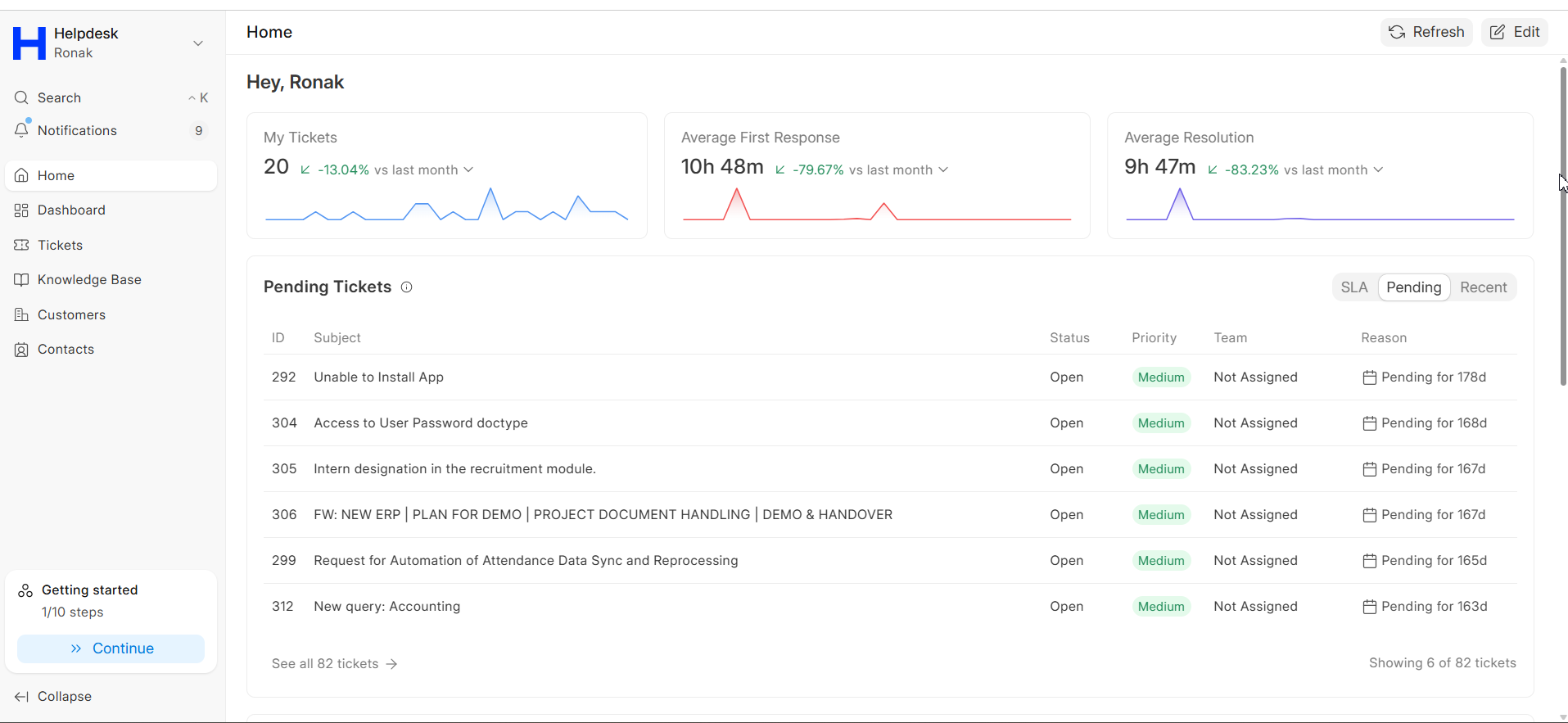
Response Times & Support SLAs
We follow defined ERPNext support SLAs based on issue priority levels to ensure timely responses and minimal business disruption.
Critical Priority: System down, data loss, security breach, complete workflow blockage.
These response times apply to tickets, emails, and project communication channels. For urgent ERPNext production support issues, customers can use emergency escalation channels.
Escalation Matrix
If your assigned functional consultant is unavailable or unresponsive, follow the escalation path below.
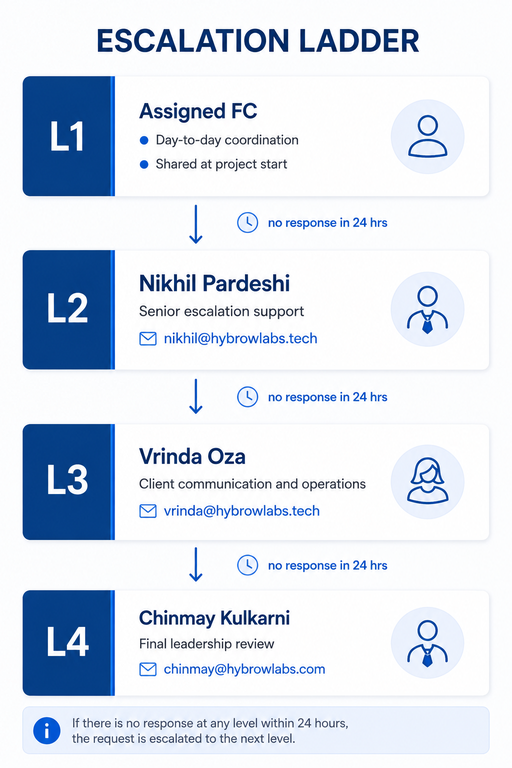
Escalation Process
- Send a follow-up through email or raise a ticket on the helpdesk.
- If there is no response within 24 hours, escalate to the next level.
Why it matters: This escalation process helps maintain accountability, transparency, and quick issue resolution. You're never left without a path to a decision-maker.
Emergency and After-Hours ERPNext Support
For critical ERPNext production issues outside business hours, our emergency support team is available to assist.
| Support Type | Details |
|---|---|
| Emergency Contact Number | +91-8805189711 |
| Business Hours | Monday to Friday, 9 AM - 6 PM IST |
| After-Hours Support | Available for critical ERPNext issues |
| Acknowledgement Time | Within 30 minutes for critical cases |
Please include the following details while raising a ticket on the helpdesk:
- Project name or project ID
- Brief issue description
- Error screenshots or logs
- Business impact details
Async vs Sync Communication Guidelines
To improve efficiency during ERPNext implementation and support projects, we follow a balanced communication approach.
| Communication Type | Best Used For | Communication Channels |
|---|---|---|
| Async Communication | Status updates, bug reporting, documentation, non-urgent questions | Helpdesk, Email and WhatsApp |
| Sync Communication | Critical issues, escalations, workflow discussions, UAT reviews | Phone calls, Google Meet, and Microsoft Teams |
Communication Best Practices
- Use async communication for non-urgent updates and documented discussions.
- Use sync communication for urgent or complex discussions requiring immediate clarification.
- Share screenshots, recordings, or detailed descriptions while reporting ERPNext issues.
- Keep approvals and project discussions within the official project communication email thread.
Following these ERPNext communication and support best practices helps improve project transparency, accountability, and implementation success.