



Support and Maintenance
Our support does not end after your ERPNext system goes live. Successful implementation also depends on reliable post-go-live support, regular maintenance, quick issue resolution, and continuous system improvement, helping you maintain stability, improve performance, reduce downtime, and keep daily operations smooth.
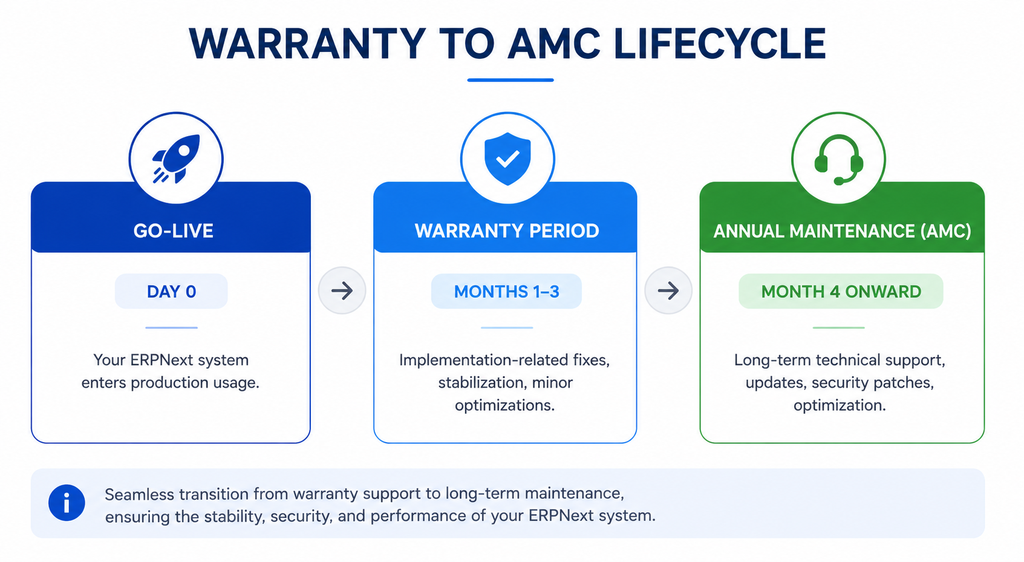
Warranty Period
Every custom ERPNext implementation project delivered by Hybrowlabs includes a 3-month warranty period starting from the official go-live date. During this period, our team assists with issues directly related to the implementation we delivered.
| Covered | |
|---|---|
| Bug fixes in custom ERPNext development | |
| Troubleshooting implementation-related issues | |
| Resolving integration problems within the approved project scope | |
| Fixing critical production issues affecting daily business operations | |
| Minor performance optimizations | |
| Security updates | |
| Limited technical assistance to stabilize the system during initial usage | |
| Not covered | |
|---|---|
| New business customizations | |
| Third-party integrations outside the original scope | |
| Infrastructure or server-related issues | |
| Customer-side code modifications | |
| Extensive training and consulting services | |
Why it matters: This structured post-implementation warranty support helps you use the system confidently while ensuring a smooth transition into regular operations.
Annual Maintenance Contract (AMC)
Once the warranty period is completed, you can continue support through our ERPNext AMC, designed for long-term technical support, system maintenance, framework updates, security patches, and ongoing optimization for businesses running ERPNext in production.
| Standard AMC services generally include: | |
|---|---|
| # | AMC Service |
| 1 | Technical support through Helpdesk tickets |
| 2 | Regular ERPNext and Frappe framework updates |
| 3 | Bug fixing and issue resolution |
| 4 | System health and performance monitoring |
| 5 | Backup verification support |
| 6 | End-user assistance |
| 7 | Compliance and regulatory update guidance |
| 8 | Access to ERPNext documentation and best practices |
A maintenance and support contract helps your business maintain system reliability, security, and operational continuity as the organization grows.
Support Hours & Availability
Standard support hours are Monday to Friday, 9:00 AM to 6:00 PM IST. During business hours, our team provides support through:
- Email support
- Ticketing system
- Project communication channels
- Scheduled calls and meetings
Critical issues: For critical production issues such as system downtime, security incidents, or data loss, emergency after-hours support can also be provided based on the agreed support plan or AMC package.
Helpdesk & Ticketing Process
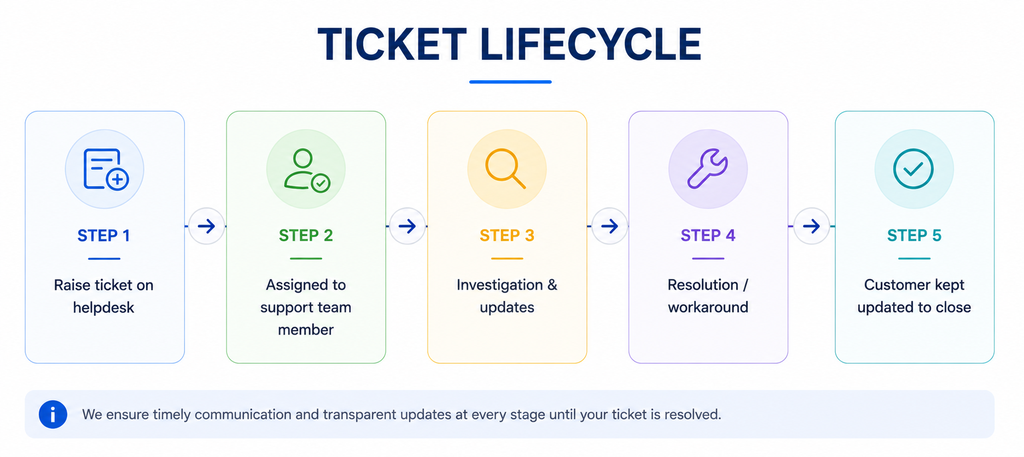
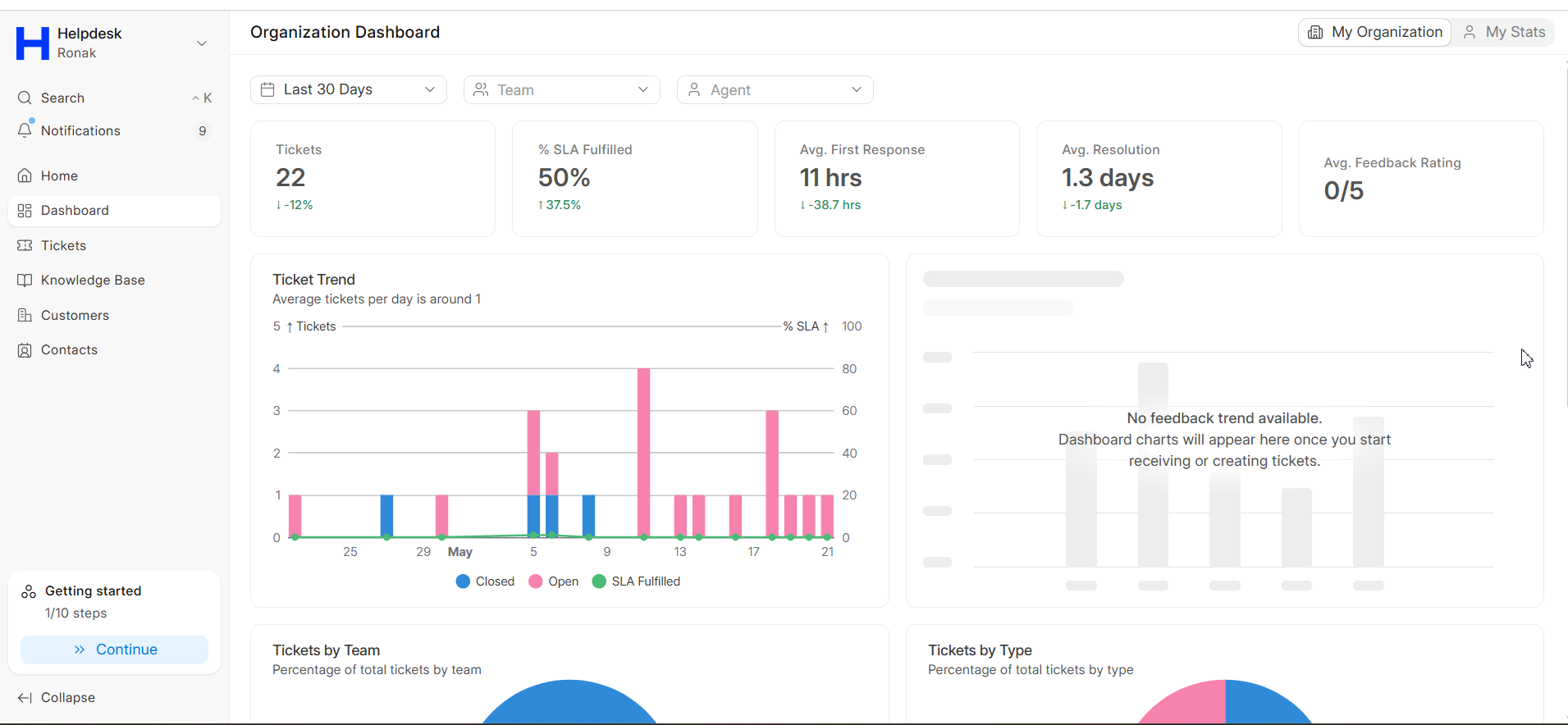
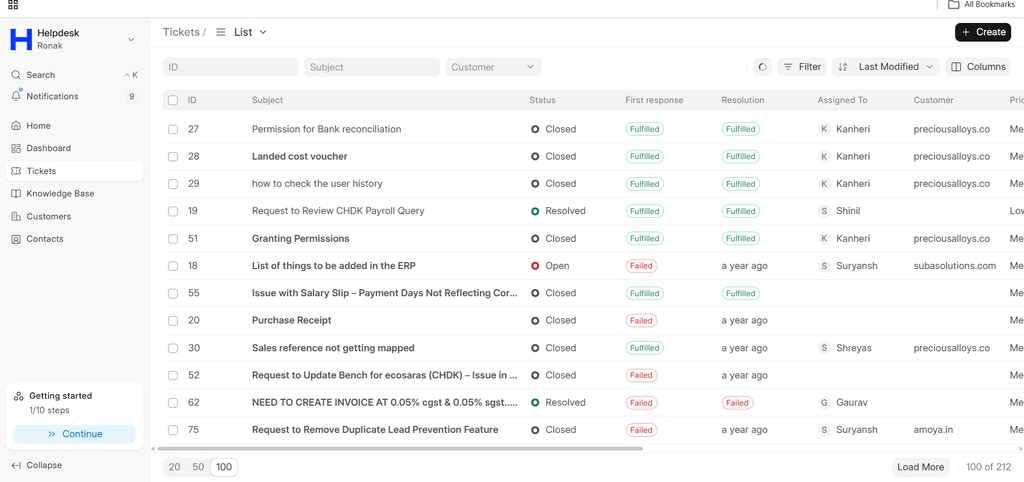
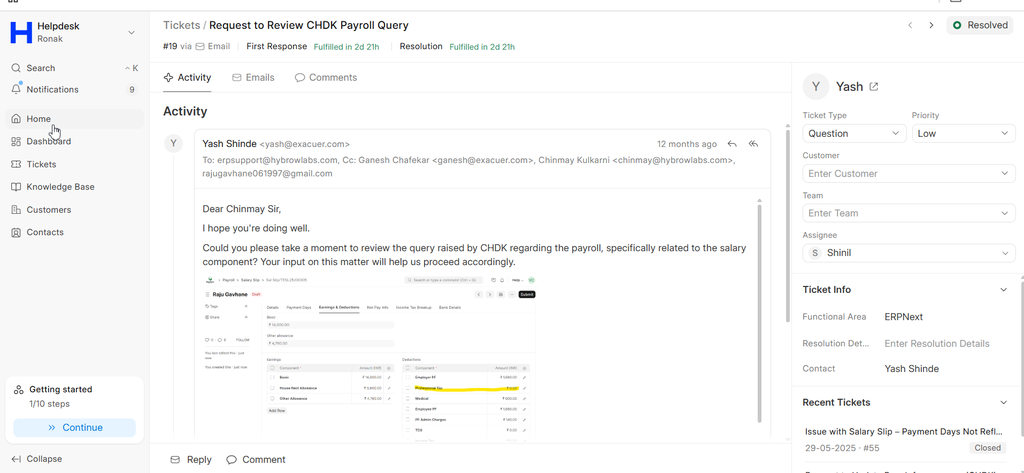
All support requests should be raised through the official ERPNext helpdesk and ticketing system. Once a ticket is submitted, it is assigned to the appropriate support team member and you receive updates throughout resolution.
| Include these details when raising a ticket: | |
|---|---|
| # | Ticket Detail |
| 1 | Project name or project ID |
| 2 | Clear issue summary |
| 3 | Priority level |
| 4 | Screenshots or error logs |
| 5 | Steps to reproduce the issue |
| 6 | Business impact details |
Issue Priority Framework
All issues are categorised based on business impact and urgency. Tap a priority to see what it is used for.
Critical Priority: ERPNext system down, data corruption, security breaches, or business operations completely blocked.
Why it matters: This prioritisation framework helps ensure critical business issues are resolved faster while maintaining proper support workflow management.
SLA Response & Resolution
Our Service Level Agreements (SLAs) define expected response and resolution timelines based on issue priority. Critical issues receive the highest priority with the fastest response times, while lower-priority enhancement requests are addressed through planned support cycles.
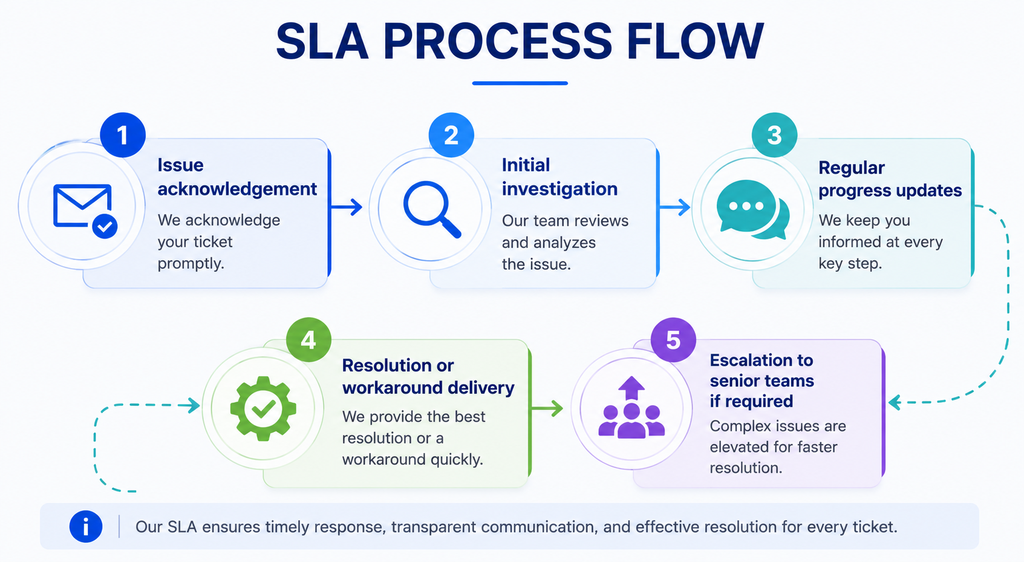
The SLA process includes:
- Issue acknowledgement
- Initial investigation
- Regular progress updates
- Resolution or workaround delivery
- Escalation to senior teams if required
This SLA-based support process helps businesses plan support expectations clearly and ensures accountability from both teams.
What's Not Covered
To maintain clarity and transparency, certain services are not covered under standard warranty or AMC support. These exclusions generally include:
| Exclusion Category | Not Covered |
|---|---|
| Infrastructure & Hosting | Server issues, downtime, performance problems, database administration beyond standard maintenance, network/firewall issues, and cloud provider outages. |
| Third-Party Integrations | Issues with non-Hybrowlabs integrations, third-party code or APIs, and support that is the third-party vendor's responsibility. |
| User-Caused Issues | Accidental deletion without backups, direct custom-code edits, unauthorized server changes, and incorrect user configuration. |
| Out-of-Scope Services | New custom development, extensive training or consulting, complex business process consulting, re-architecture, or major redesign. |
| Excluded Scenarios | Non-Hybrowlabs code changes, unsupported ERPNext versions, malware or hacking after deployment, and data recovery without a backup strategy. |
Issues caused by unauthorized modifications, malware attacks, or external infrastructure failures may require separate consulting or DevOps support services.
Best Practices for Smooth Support
To ensure faster issue resolution and better system stability, we recommend:
- Maintain regular data backups
- Keep ERPNext and custom apps updated
- Avoid direct code modifications without approval
- Use official support channels for issue reporting
- Share proper screenshots and error details while raising tickets
- Train key users on standard ERPNext workflows
- Maintain proper change management processes
Following these support and maintenance best practices helps your business reduce operational risks and improve long-term system performance.
Frequently Asked Questions
Every custom implementation includes a 3-month warranty from the official go-live date, covering custom bug fixes, implementation troubleshooting, in-scope integration fixes, critical production fixes, minor performance optimizations, security updates, and limited stabilization assistance.
You can continue with an Annual Maintenance Contract (AMC) for long-term technical support, regular ERPNext/Frappe updates, bug fixing, health and performance monitoring, backup verification, end-user assistance, compliance guidance, and access to documentation and best practices.
Standard hours are Monday-Friday, 9 AM-6 PM IST via email, ticketing, project channels, and scheduled calls. For critical production issues like downtime, security incidents, or data loss, emergency after-hours support can be provided based on your agreed plan or AMC package.
Issues are categorised by business impact: Critical for system down, data corruption, security breaches, or blocked operations; High for major failures; Medium for minor bugs or partial workflow impact; and Low for functional questions or small enhancements.
Standard warranty/AMC excludes infrastructure and hosting, third-party integration issues, user-caused problems, out-of-scope services, non-Hybrowlabs code changes, unsupported versions, post-deployment malware or hacking, and recovery without a backup strategy.
Yes. Customizations are built as separate custom apps using standard Frappe mechanisms, and core ERPNext is never modified, which is what keeps the system upgradeable.
We review customizations and integrations against the changelog, test the upgrade on a staging site, and validate workflows and data, then schedule and execute the production upgrade. The path is predictable and reversible.
Since the core is never altered, upgrades are primarily focused on testing and validation instead of a complete reconstruction. Effort scales with the number and complexity of customizations to re-validate, and each major upgrade is scoped against its specific changelog.